Real pieces, real part numbers
Every straight, curve, turnout and crossing the maker sells, clicking together as they do on the bench. The parts list is the shopping list.
Every card, menu, key and control, by area: 569 of them in 57 groups. The simulator, the puzzles, the Layout Designer, the parts list and printing are free; the two AI helpers run on AI Credit, and hosting club sessions comes with the yearly plans; operating sessions, the Real layout and the Real controller are free for a limited time.
Edit "<name>" when a saved layout is open.The hobby’s most advanced model railroad simulator and layout designer, in your browser
Lay real pieces from 40 track systems, see every problem before you buy, get the parts list, and drive the layout from a cab modeled on the NCE Power Cab. Nothing to install.
Free, with no subscription needed. The two AI helpers come with $5 of credit to start; add more only if you want it. Works in Chrome, Edge, Safari and Firefox on a computer, tablet or phone.
Built from the real pieces of
Stop ripping up track you just laid: draw it, run it in 3D, solve a puzzle on your phone, and only then buy a thing.
Every piece comes from the maker's catalog, the plan is checked the way a modeler would check it, and then you drive it, so what you buy is what you drew, and it works.
Every straight, curve, turnout and crossing the maker sells, clicking together as they do on the bench. The parts list is the shopping list.
Save, and the design opens in the simulator wired and ready. Switch cars, climb the grades, find out which siding is too short.
Gaps, clashes, a reverse loop that will short, a grade too steep for your train, a door the board blocks. Each one named, next to the piece.
Planning, printing, the parts list and driving cost nothing. The AI helpers run on credit you top up when you want them; Pro adds operating sessions and club sessions.
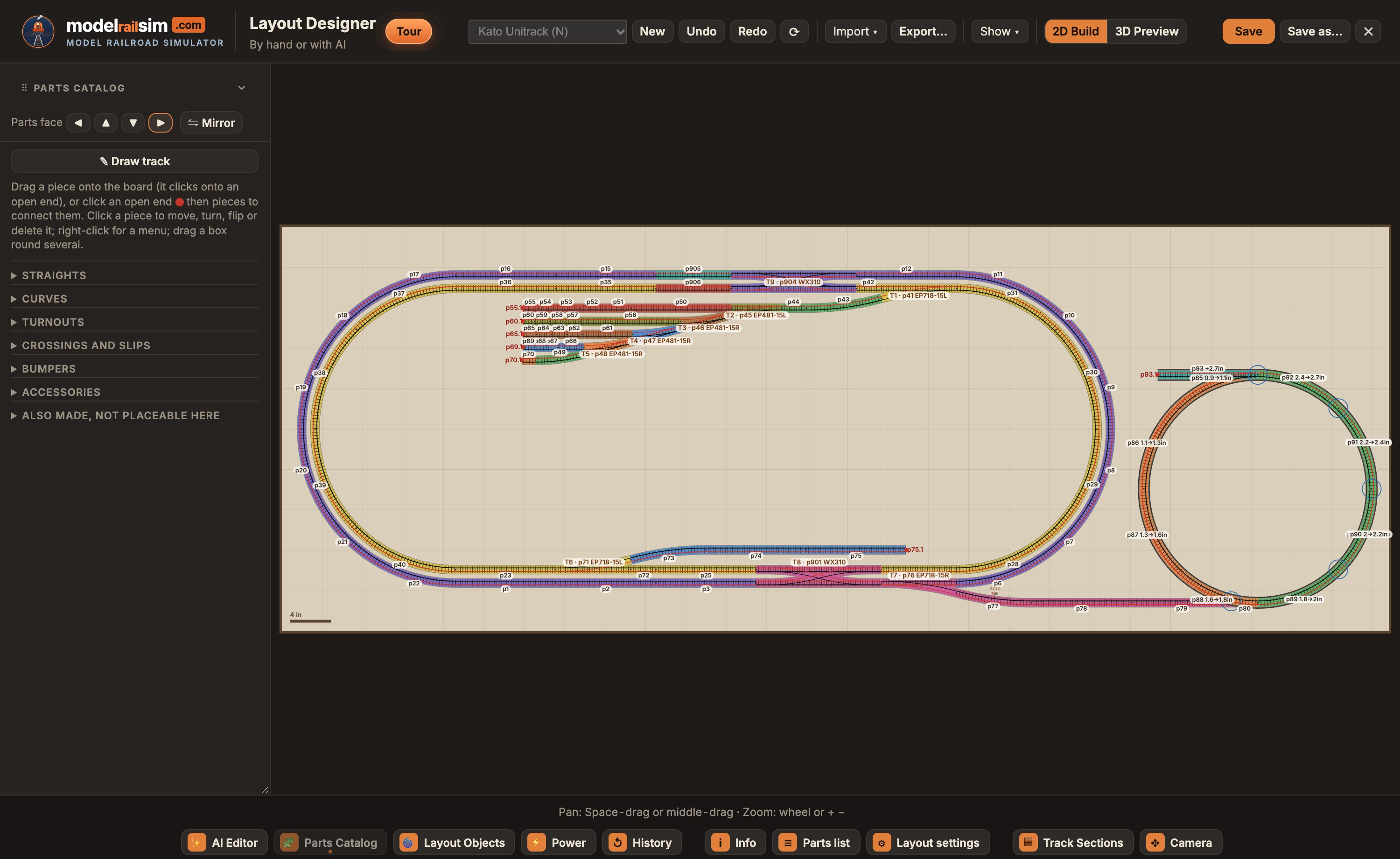
Drag from the catalog of 40 track systems and the pieces click together as they do on the bench, or draw a line and real pieces are laid along it. Any shape of board, in your own room, with the wiring and the grades checked as you go.
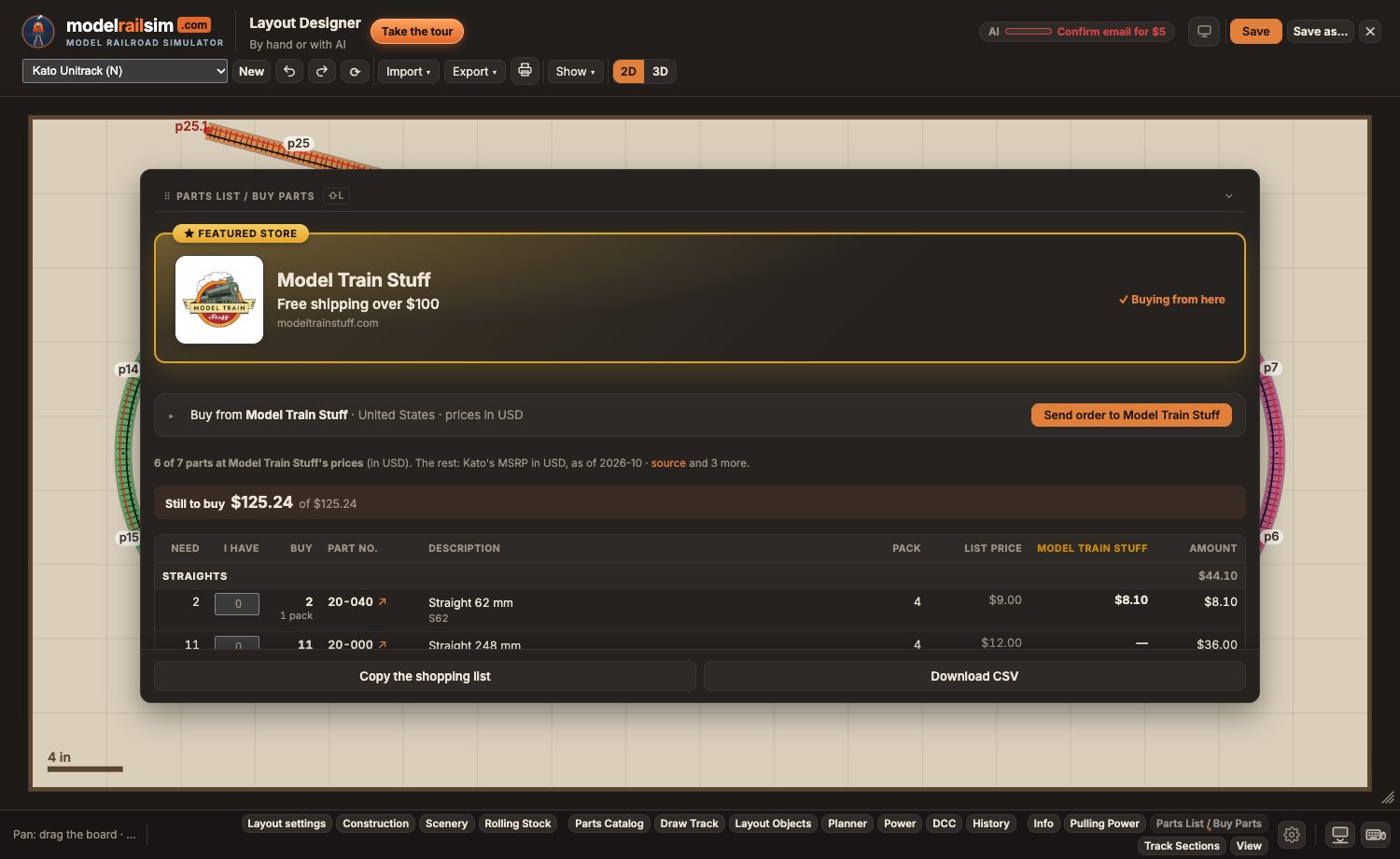
The parts list is the shopping list: each piece, the packs to buy, and the maker's retail price for over 1,400 parts. Tell it what you already own and it shows what's still to buy, in your currency.
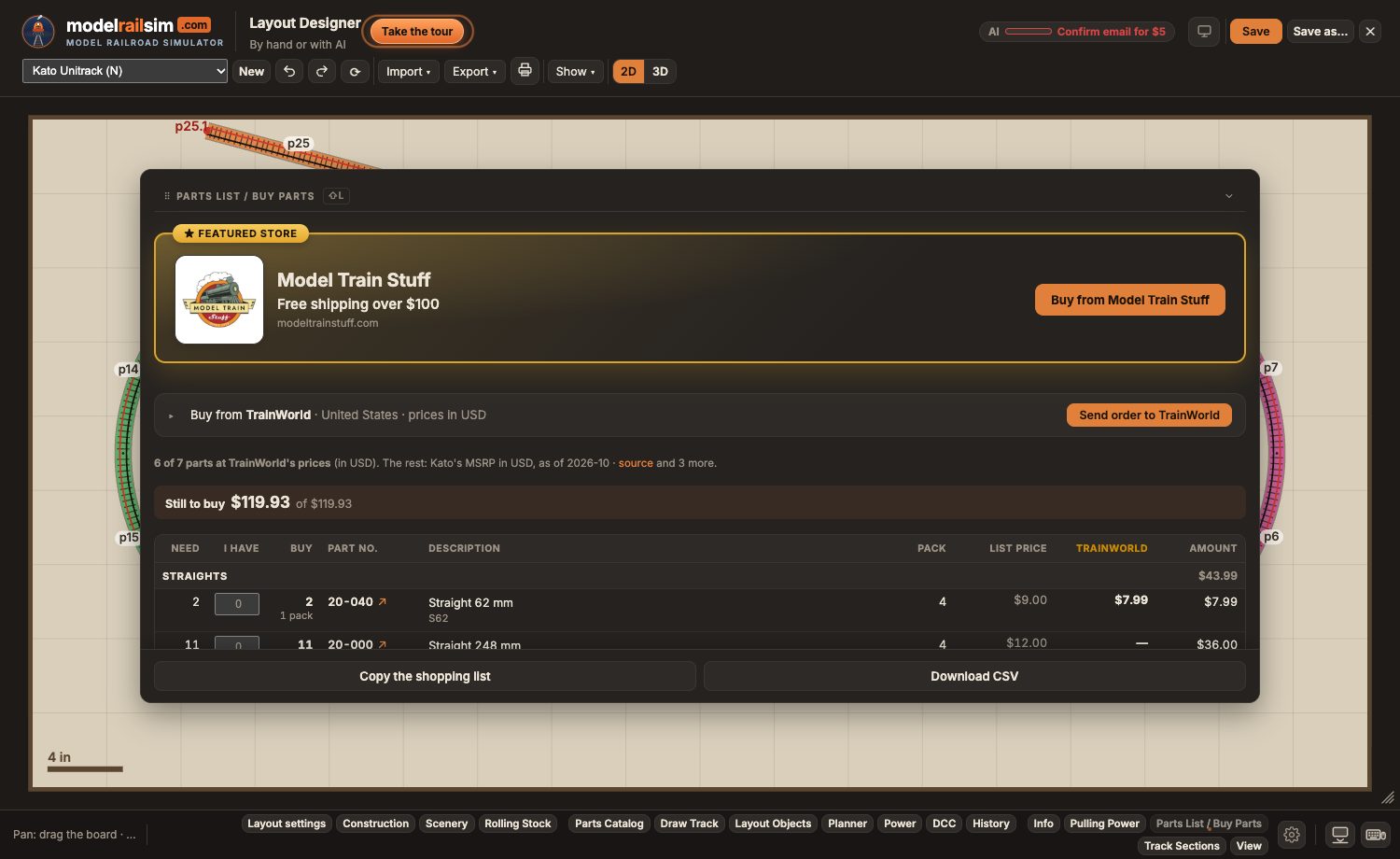
Choose a store in your country and its own prices appear beside the list, 23 stores so far. Send the whole list to a store that takes orders; they confirm, charge and ship. Nothing is charged here.
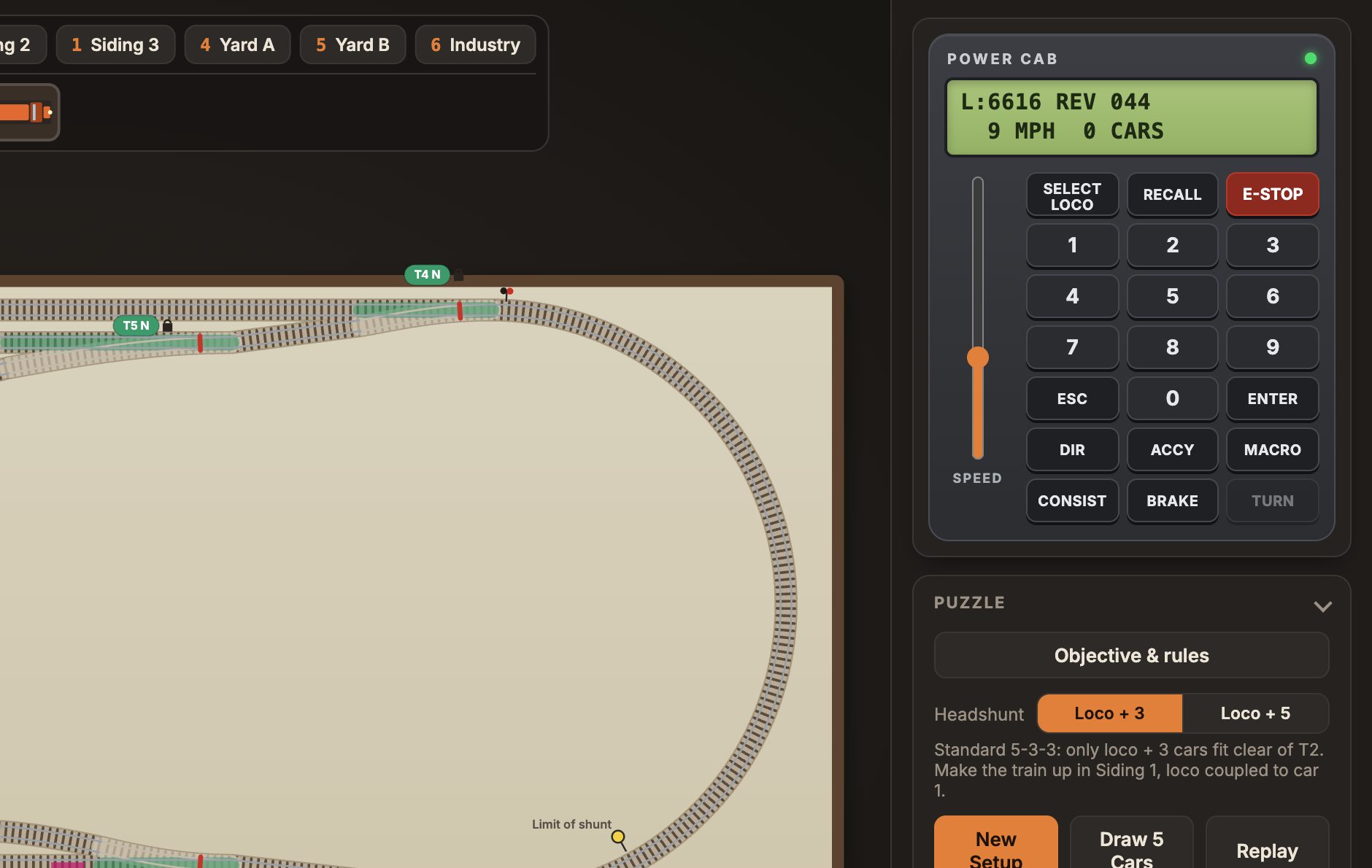
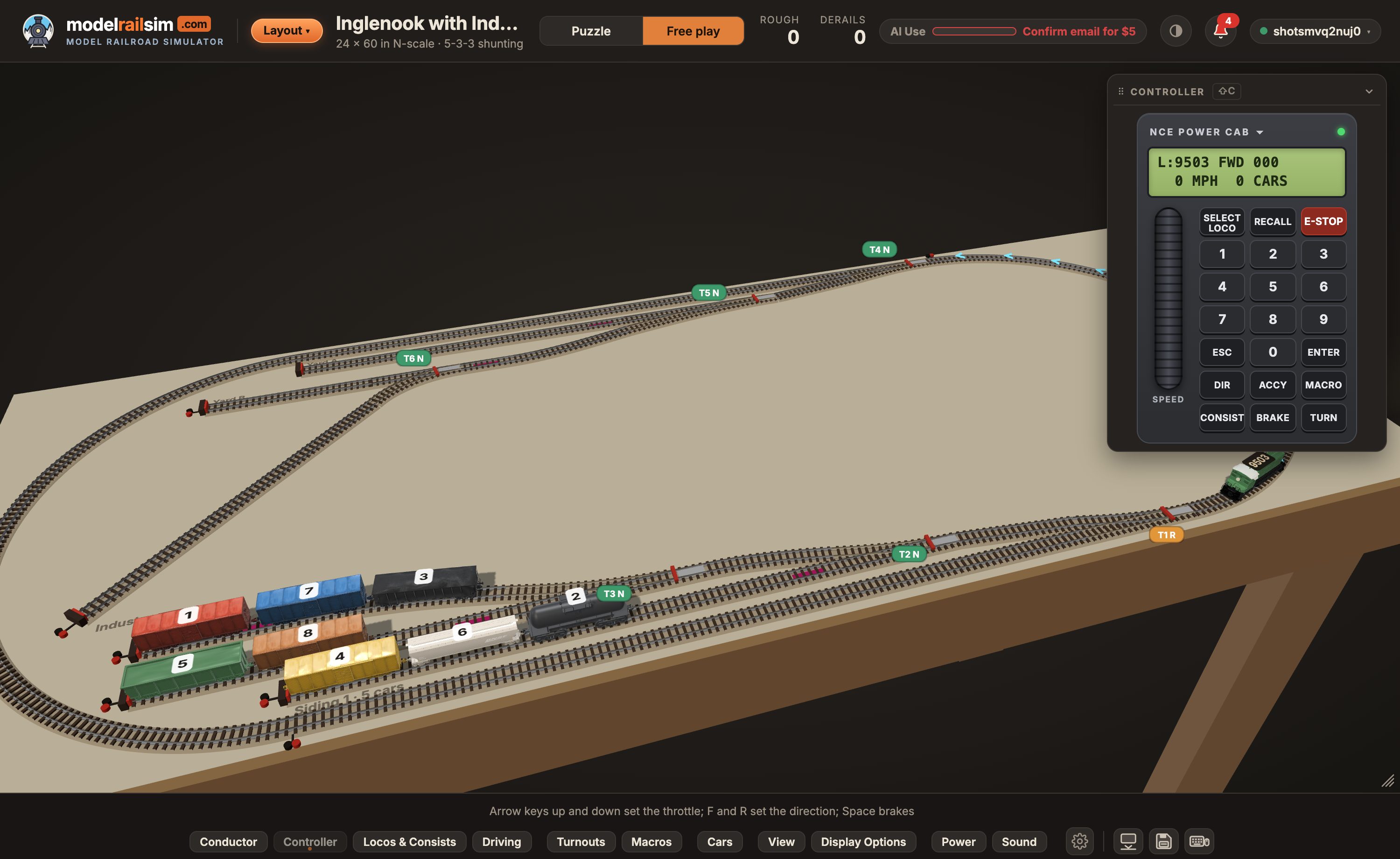
Save, and the design opens in the simulator, wired and ready: a cab modeled on the NCE Power Cab, trains that ease up to speed and coast, grades that are real, signals and power districts that behave, and a 3D view from the cab.
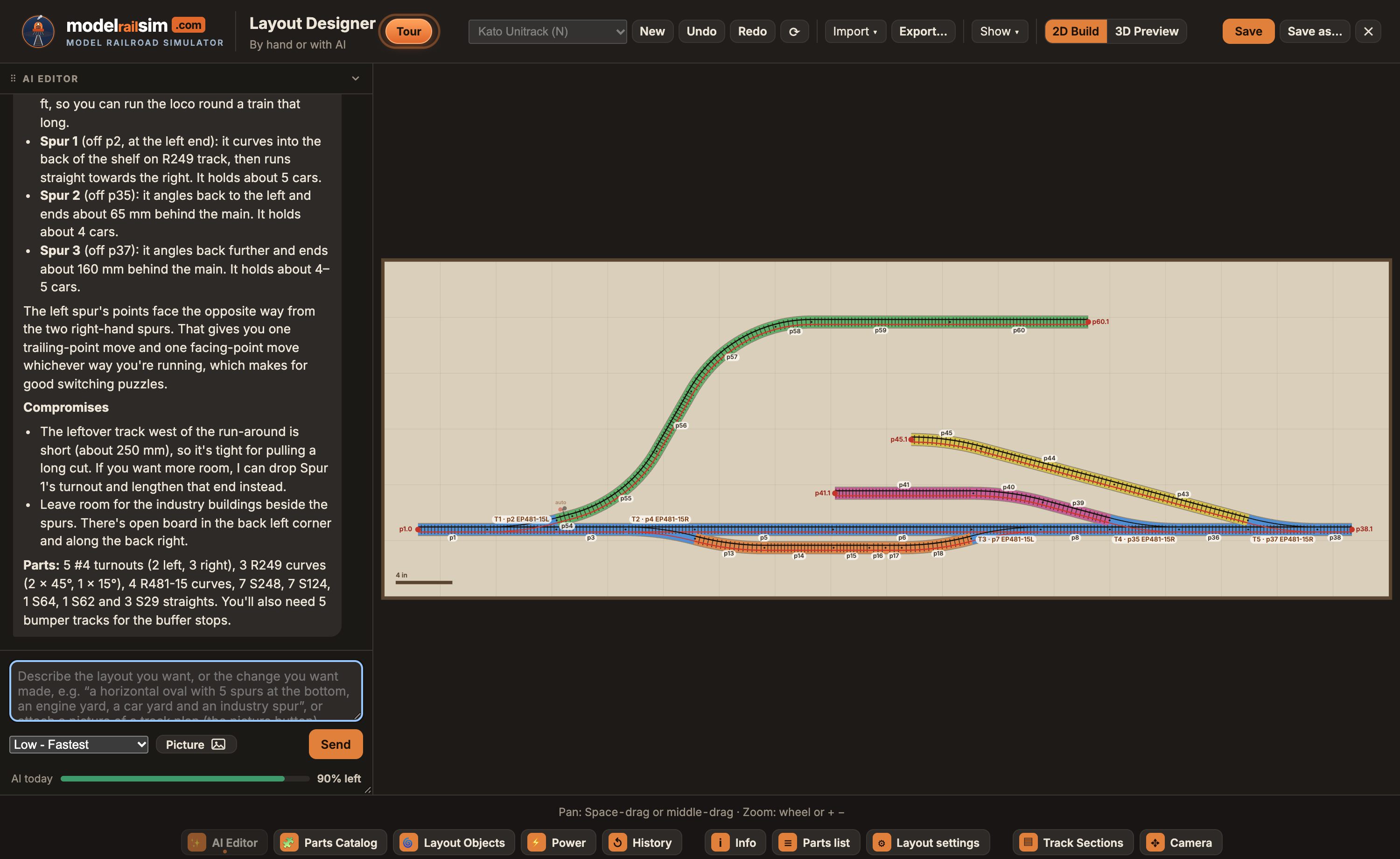
Describe a layout, or show a picture of one, and the Planner lays it with the same tools you have. Tell the Conductor what to do and watch it run the layout, explaining each move.
Open the Conductor in the simulator (Shift + N) and ask for what you want done. It knows every loco and car, every turnout and where it's set, every card and control, and it works the layout with the same controls you do, step by step, while you watch.
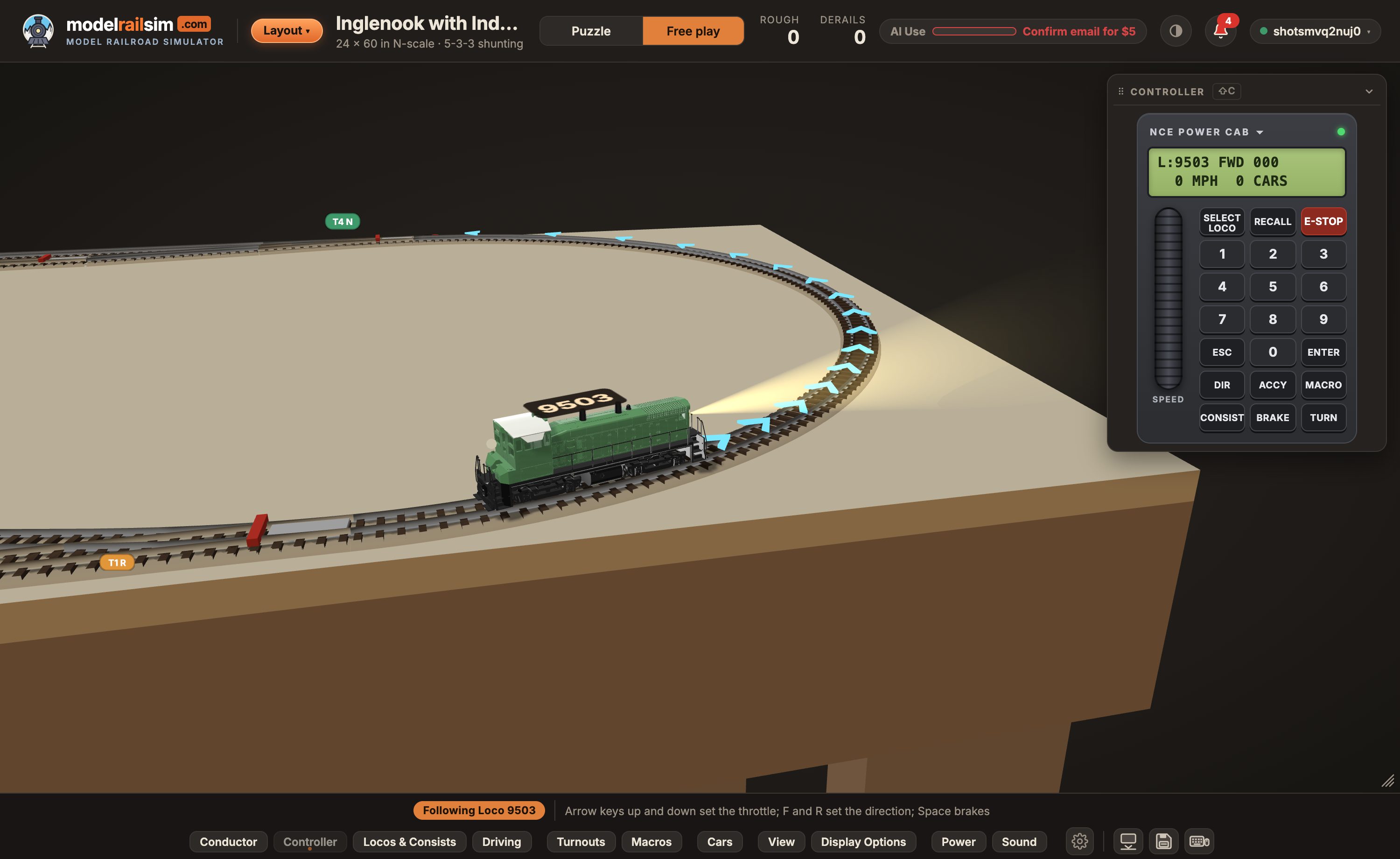
Press 3D and the plan becomes the board on its table: ballast, ties and rails, point blades that swing, and real locomotives and cars, scaled to the roster. Everything you do on the plan works here too.
Fantastic! I'd been struggling to build a starting layout for my Kato N gauge newbie journey. The AI was brilliant and produced exactly what I wanted, within the dimensions specified.
I started transferring my own layout from RailModeller. I uploaded two or three screenshots, and it was recreated perfectly right away. It's a very small layout, but somewhat complex, with three levels and two helixes. Connecting those levels had kept me up at night for weeks. … Finally, an AI you can talk to about track layouts, one that really understands you and can offer real help. A dream come true.
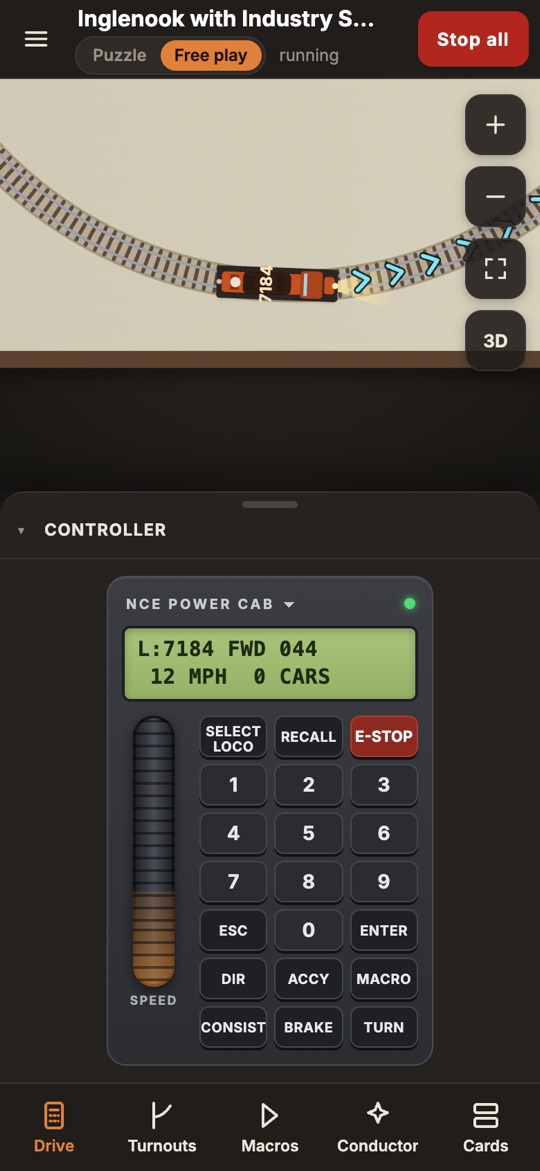
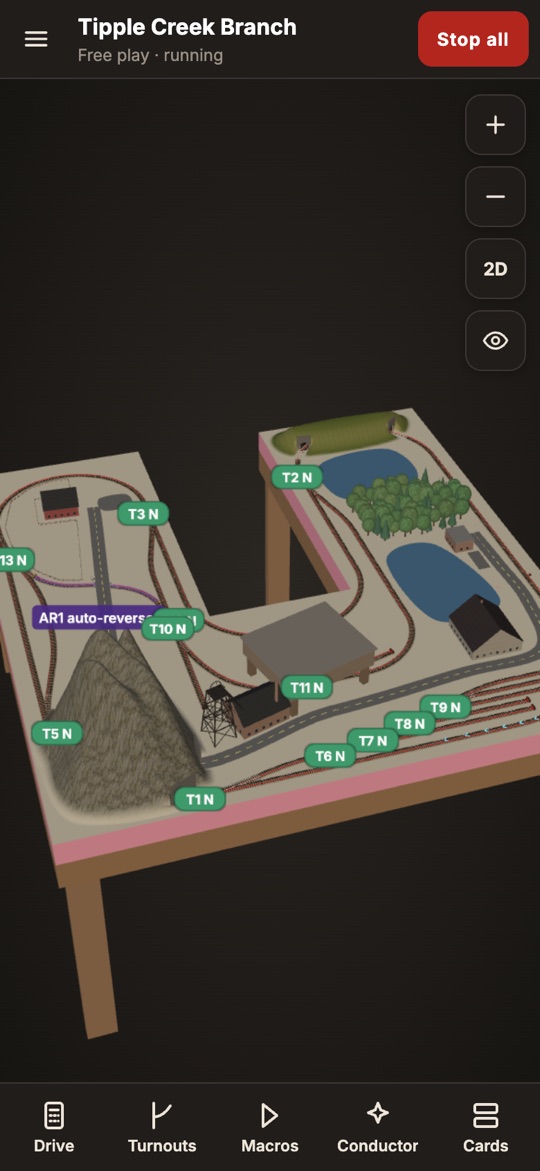
On a phone the simulator and the Layout Designer have a layout of their own, made for a thumb: the board fills the screen, and what you use most is one tap away along the bottom.
Every piece priced at the maker's retail, in your currency, with what you already own taken off. Send the list to a store that takes orders; they confirm, charge and ship. Nothing is charged here.
Operating sessions with waybills, switch lists, a fast clock and a dispatcher, scored at the end. Operating sessions are free for a limited time. Host your club on one railroad, each member on their own screen, from $29 a year.
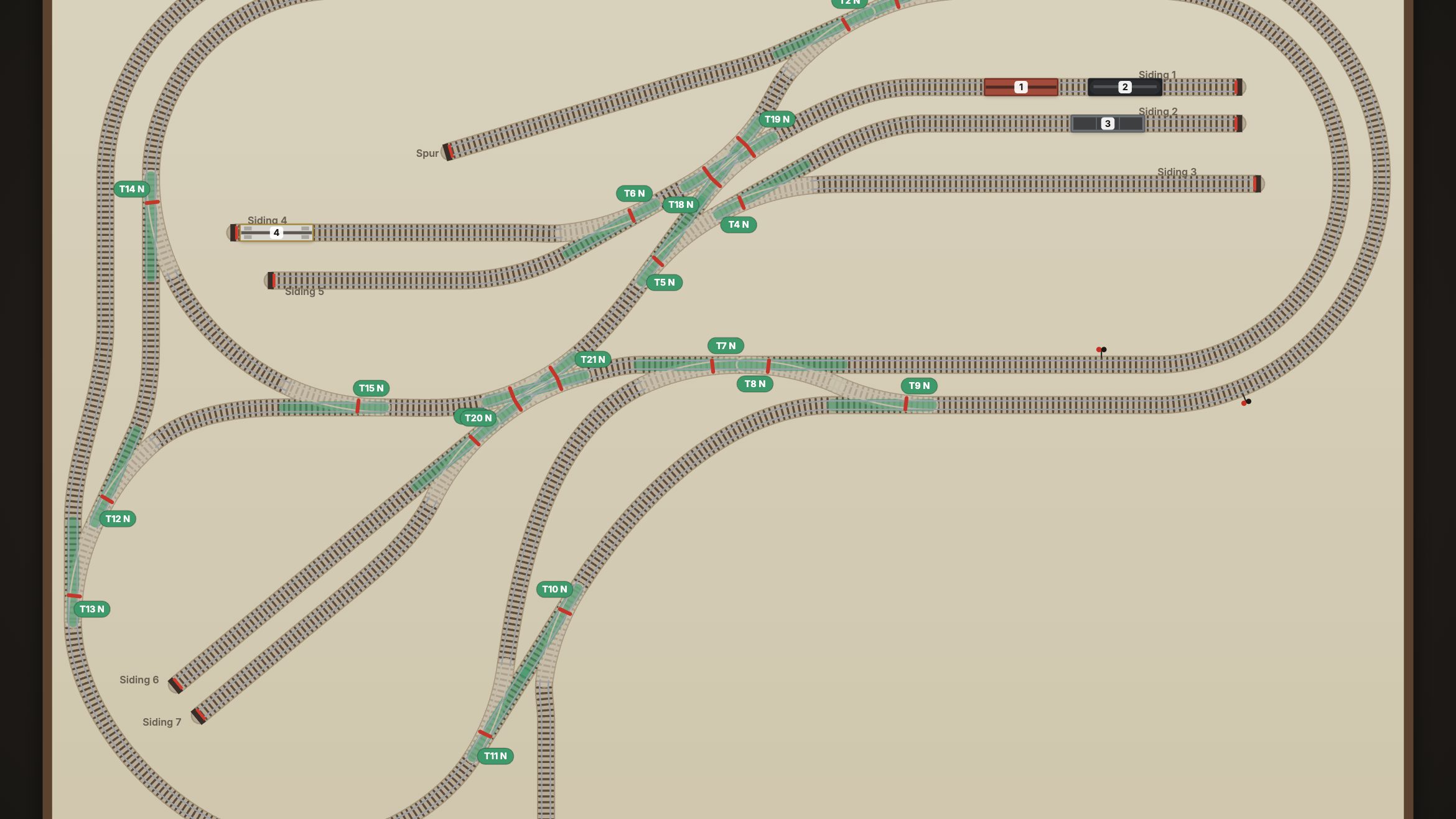
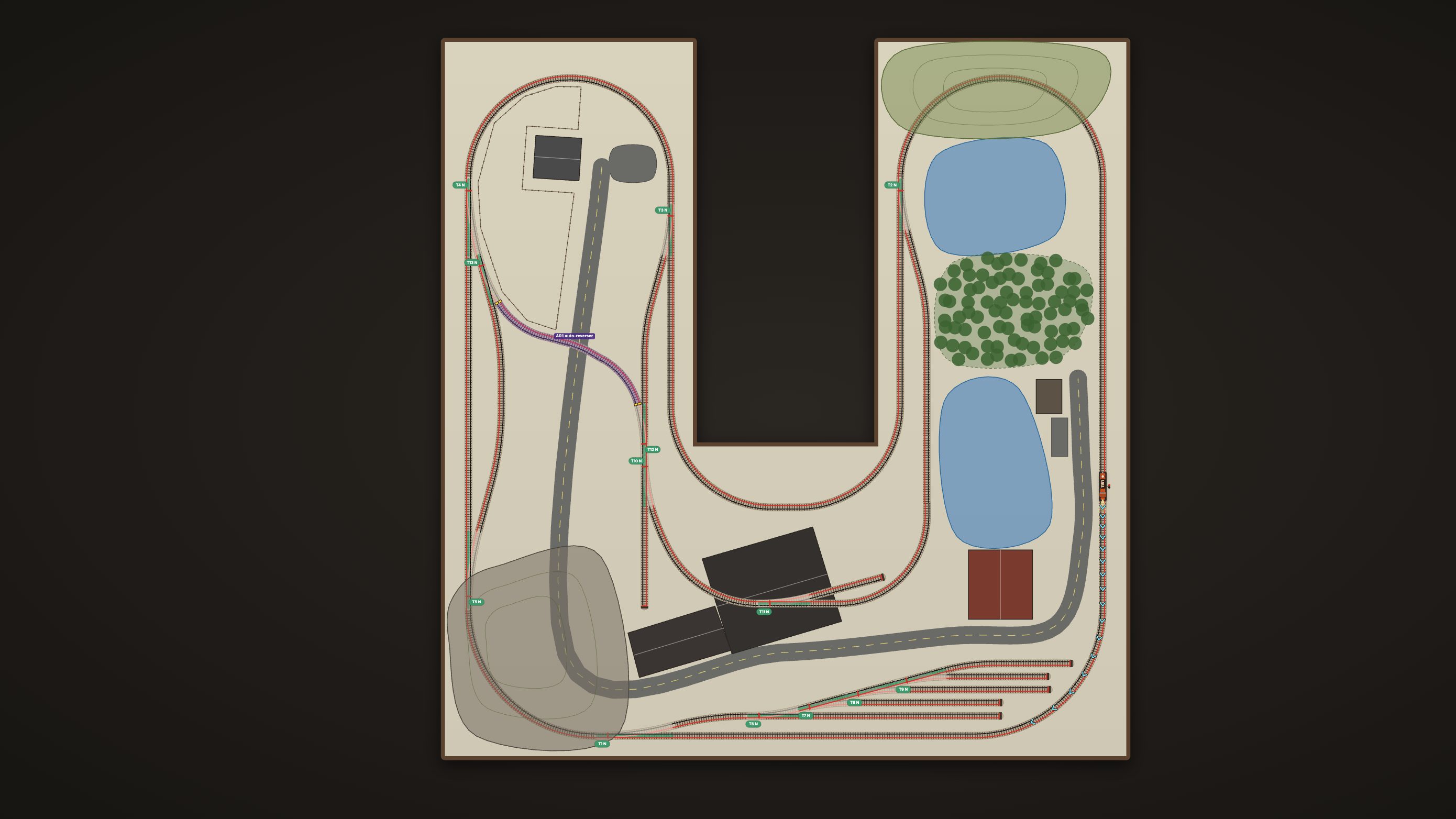
Four of the five built-in layouts are modeled from real track plans, piece by piece; the fifth, Tipple Creek Branch, was designed here in the Layout Designer. Members share theirs in the Layout gallery: run one, or take a copy to build on.


With a username and password, or in one click with Google or Apple.
A short guided tour shows you the screen, the throttle and the puzzles, with a few things to try on the way.
Start a puzzle with its rules explained, or run freely. Or design your own in the Layout Designer, by hand or with AI. Save your session and pick it up next time.
Yes. The app is free to use: the simulator, the puzzles, the Layout Designer and the parts list cost nothing, with no time limit. Only the AI features use AI Credit, and your first $5 of it is on us. Add more only if you want it, in packs from $5. No subscription is needed. Operating sessions are free for a limited time; yearly plans from $29 add hosting club sessions. See Pricing.
No. It runs in a modern browser (Chrome, Edge, Safari or Firefox) on a computer, a tablet or a phone. On a phone it has a layout of its own: the board fills the screen, the menu slides in from the left, the cards from the right, and the controls you use most open from a bar along the bottom.
No. Building by hand is just as complete: drag pieces from the Parts Catalog, draw a line and let real pieces be laid along it, or draw over a picture of a plan. AI is there when you want it, and you can mix the two: many people build by hand and ask AI to finish the tricky bits, like joining two ends to close a reverse loop.
Yes. The tour walks you through driving, the points and coupling in about two minutes, and every key and mouse action is listed under the keyboard button at the bottom right. Hover over anything on the layout to see what it is.
XTrackCAD (.xtc) and AnyRail (.any) open piece by piece: Import › Layout file in the Layout Designer matches each piece to the same track system here and places it where it was; anything that can't be matched is listed. WinTrack's own files are a closed format, so export a DXF from WinTrack (File › Export) and open that: its lines sit on the board at the right size to trace over, like any DXF from a CAD program. Export saves a design out as an XTrackCAD file, or as a DXF with the centerlines, rails, board and labels on their own layers for CAD and the laser cutter.
Create a free account and run your first train in minutes.