Drive your track plan before you buy the track or the loco
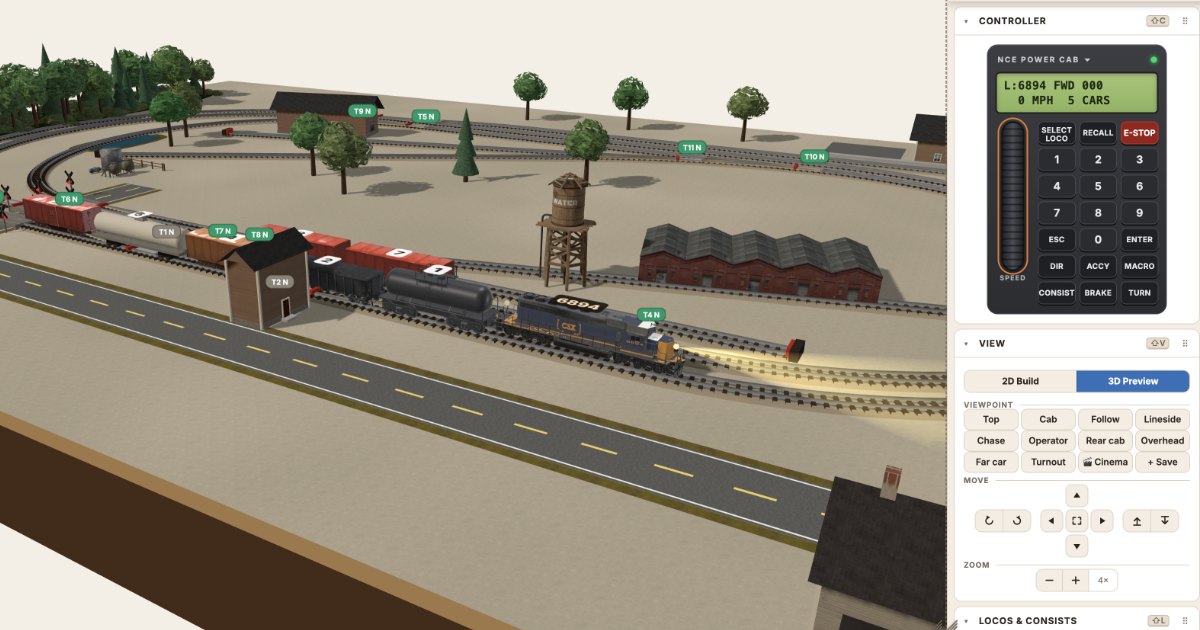
Checks tell you a piece is wrong. Driving tells you a plan is awkward.
You have an HO shelf switcher drawn on graph paper, and you're standing at the hobby shop counter thinking about buying a switcher now, "just to see if the plan works." It makes sense. A plan on paper won't tell you if a cut of cars fits the spur, or if the train you have in mind will make the grade. But a locomotive costs a lot for that kind of test, and it can't run on track you haven't bought yet.
Run the plan first instead. Lay it in real sectional track, let the checks find what they can, then drive it with a throttle. The track and the trains can wait until the plan has proved it deserves them.
Lay it in the pieces you'll buy
The Layout Designer doesn't draw generic lines. It holds 1,582 real pieces from 40 track systems, T to G, and each one has the maker's part number and geometry. If you plan in Kato Unitrack N, you lay Kato Unitrack N pieces, and they click together the way they do on the bench. If you plan with flex in one of the 20 systems that make it, you bend it on screen and the radius shows as you bend. A bend tighter than the system's own curves shows in red.
Start with the board you'll really build: a rectangle, an L, a U, or your own outline. If you know where it's going, put a photo or sketch of the room under the board and mark the posts and the doors. The Info card then lists any post inside the board, any door the board stops from opening, and any aisle narrower than the width you set (30 inches to start).
What the Designer catches as you lay it
Some problems show up before a train ever moves. The Designer names each one next to the piece it's about:
- Gaps and clashes. Two pieces that don't quite meet, or two that sit on top of each other.
- Grades. Give a run of track a height and the Designer works out the grade. Over 2.5% gets a note. Over 3% gets a warning.
- Clearance. Track crossing over track needs the scale's clearance (40 mm in N), or it's flagged.
- Wiring. Two-rail track shows red and black rails as you lay it, so you can see a reverse loop's short before you buy anything.
- Track off the board. A curve that hangs over the edge of the L gets listed.
Then come the numbers you'd otherwise find out the hard way. The Rolling Stock card lists every siding with its length to the clearance point and how many 40 ft cars it holds. Put your own locos and cars on the plan at real length for your scale, and it shows which sidings take your train and how your tightest curve suits your longest car.
The Pulling Power card works out the hill. With 40 ft cars, an HO GP38-2 pulls about 39 cars on the level and 17 up a 2% grade. An SD40-2 pulls 55 and 24. Those figures use NMRA car weights and locos without traction tires, so a loco with traction tires or added weight will pull more. If you planned a 20-car train behind a GP38-2 up a 2% ramp, you'll know before you cut any risers.
Drive it and find what the checks miss
Save, and the design opens in the simulator wired and ready to drive. You can also switch to 3D Preview inside the Designer. The preview is the simulator itself, with its Locos, Turnouts, Macros and Cars cards, and it follows each change you make in 2D.
Checks tell you a piece is wrong. Driving tells you a plan is awkward. Say your shelf has a run-around and three spurs. Two spurs face one way and the third faces the other. It looks balanced on paper, and nothing on the problem list complains, because nothing is wrong. Then you run a local through it. Every car for the odd spur needs a run-around move first. If the run-around only holds three cars and your local has five, that's two trips. Maybe that's the puzzle you wanted. Maybe it's an hour of shuffling you didn't plan on. Either way, you've found out with a mouse and not a razor saw.
Grades work the same way. The math behind the Pulling Power card also runs the trains in the simulator. If the train is too heavy for the climb, it stalls with its wheels slipping. So you lengthen the ramp, ease the grade, or shorten the train, all on screen, and run it again. Every change sits in the History, so you can go back to any earlier version.
Why a throttle in your hand matters
Watching a train move only proves the track joins up. It doesn't tell you how the layout feels to run. In the simulator, trains ease up to speed and coast, so stopping a car at a door or clear of the points takes a hand on the knob, the same as at home. That's when you notice a spur is short enough that you're always fighting to stop in time, or a ladder where every move crosses the same turnout.
The on-screen cab is modeled on the NCE Power Cab or the Digitrax DT602, with speed steps, consists, macros and functions. That's enough to learn how a plan runs, and you don't need to own anything.
If you already own a DCC system, your own handset can drive the simulator. The DCC Sniffer connects with two wires to your command station's track output and a USB cable to your computer. The sim loco with the same number as the one on your handset follows its speed, direction, bell and horn. A turnout you throw from the handset throws the sim turnout with the same accessory number. You don't need a physical layout, only the command station. The sniffer will be $39 in the Model Rail Sim store. Manufacturing is in progress, and the target is mid to late November 2026, though that date may move. The Real controller card also reads NCE's DCC Meter/Analyzer. The Real controller is free for a limited time. After that it's part of the paid plans.
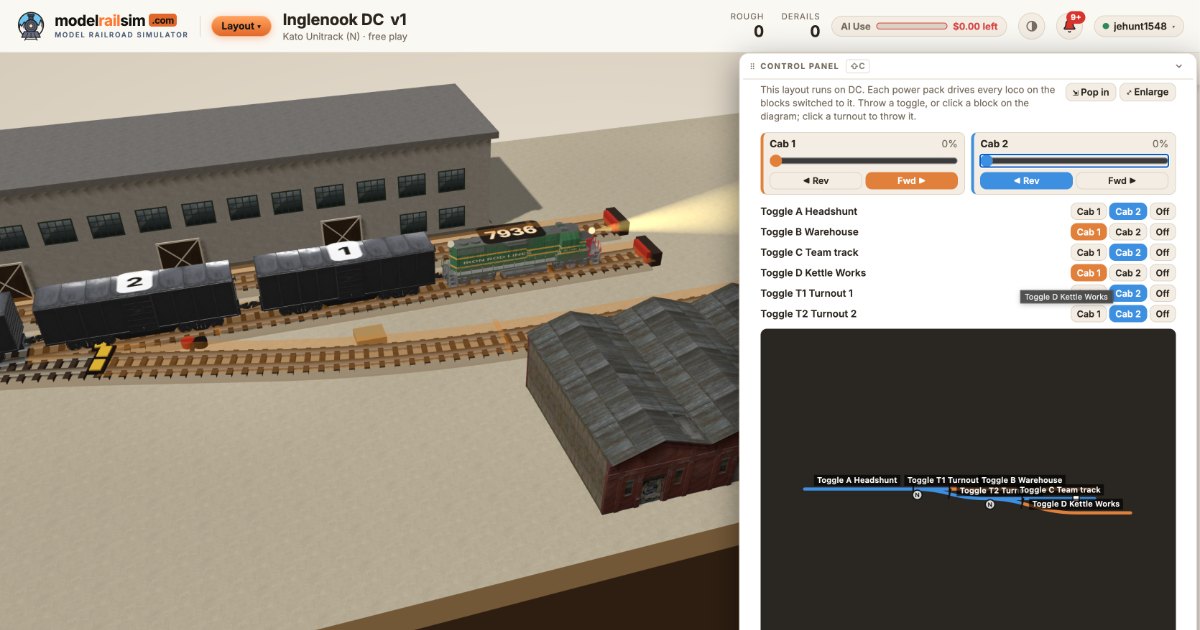
Planning a DC layout? Choose DC when you start the layout. The simulator gives you a Control panel with two power packs and a toggle for each block. You can find out which blocks you really need before you cut a single gap in the rail.
Then buy it
Once the plan runs the way you want, the parts list is your shopping list. It shows every piece by part number, how many packs to buy, and the maker's retail price for over 1,400 parts. Tell it what's already in the drawer and it takes those off. Pick a store in your country and its own prices show beside the list, from 23 stores so far. If the store takes orders, you can send it the list. The store confirms, charges and ships. Nothing is charged on modelrailsim.
Planning, driving and the parts list are free, and there's nothing to install. It runs in Chrome, Edge, Safari or Firefox on a computer, tablet or phone.
Here's something to try this week. Take the plan you've been sketching and lay just the hardest part of it, the yard throat or the industrial district. Save it. Run one loco through every turnout in both directions, then push a cut of cars into each spur until it stops at the clearance point. Write down every move that surprised you. That list will tell you more about the plan than another evening with graph paper.
New posts by email
A short email when there's a new post. Nothing else, and you can stop any time.
More from the blog
Checking a DC layout's polarity, feeders and blocks before you build
Reverse loops, missing feeders and dead blocks are where DC layouts fail. See how the Layout Designer checks polarity, feeders and blocks before you lay track.
Building a layout in a spare closet: plans that fit
How to fit a model railroad in a spare closet: measuring reach-in and walk-in closets, switching plans that fit, benchwork tips, and checking it before you cut.
Team tracks: the industry with no building
A team track is a railroad-owned spur where any shipper can load or unload a car. What the prototype built, what went there, and how to model one in inches.