
Start from a picture
Lay a plan from a book or magazine faded on the board, say how big it is, and draw your track over its lines.
Design a layout from the real pieces of the track you'll buy: Kato, Atlas, Peco, Märklin, Bachmann and 13 more makers, Z to G scale. Pieces click together as they do on the bench, and the rails show their polarity as you lay them. When you save, it's a layout you can drive.
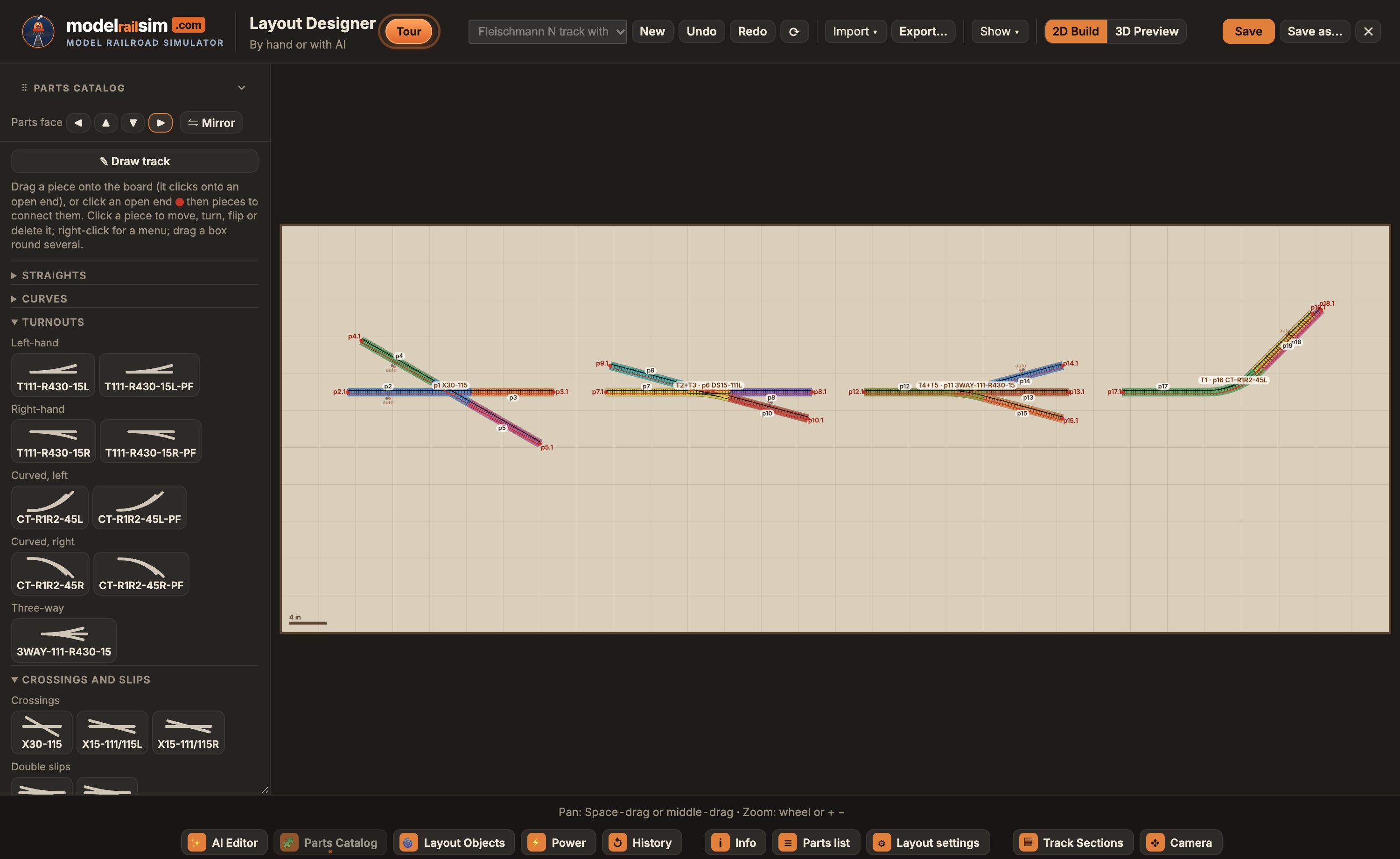
The Parts Catalog holds each system's pieces with their real geometry: straights, curves by radius, turnouts, and the awkward ones too.
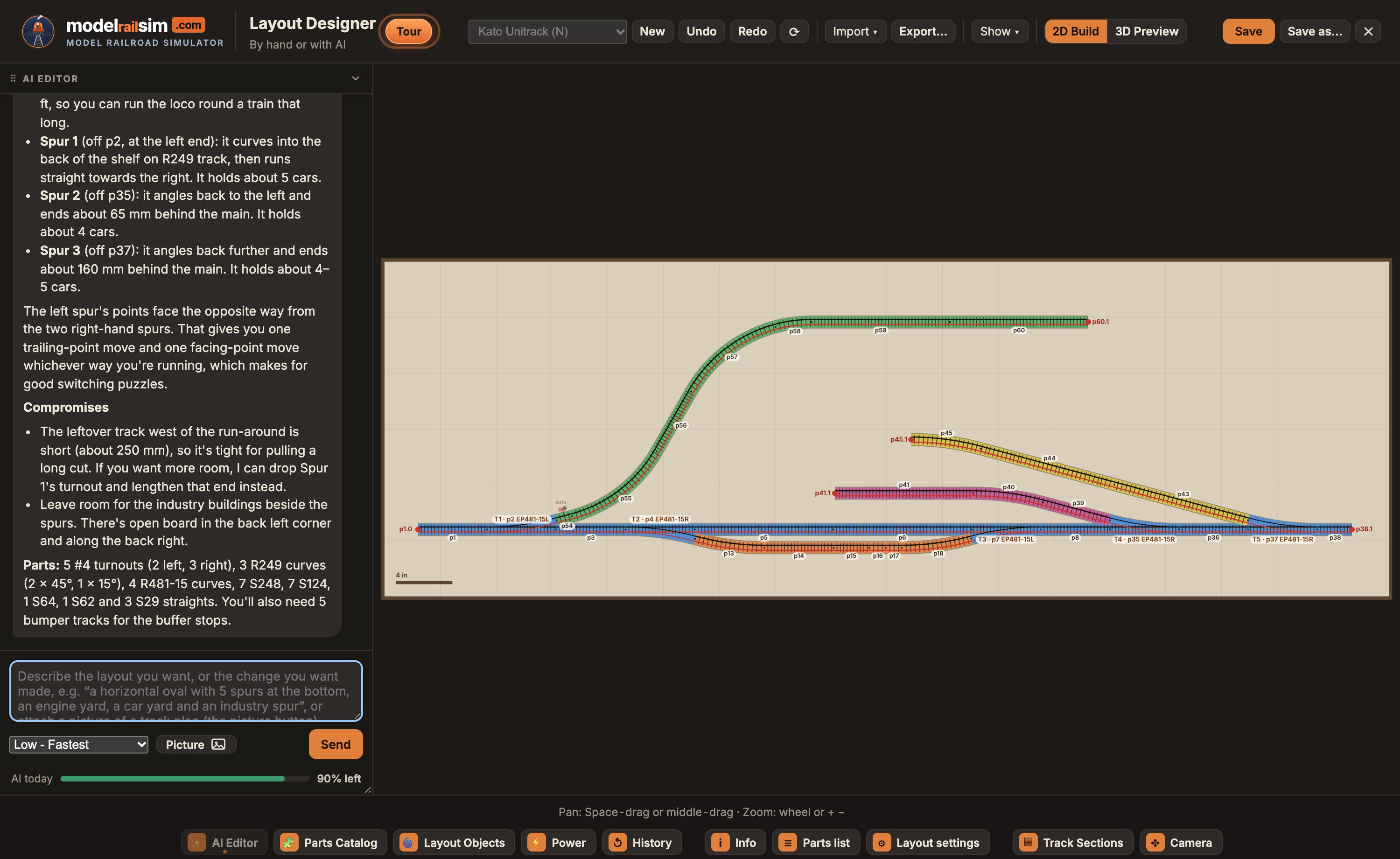
Tell the AI Editor what you want, “a shelf switching layout with a run-around and three spurs”, or give it a picture of a magazine plan. It lays the same real pieces you would, then checks gaps, clashes, grades and wiring.
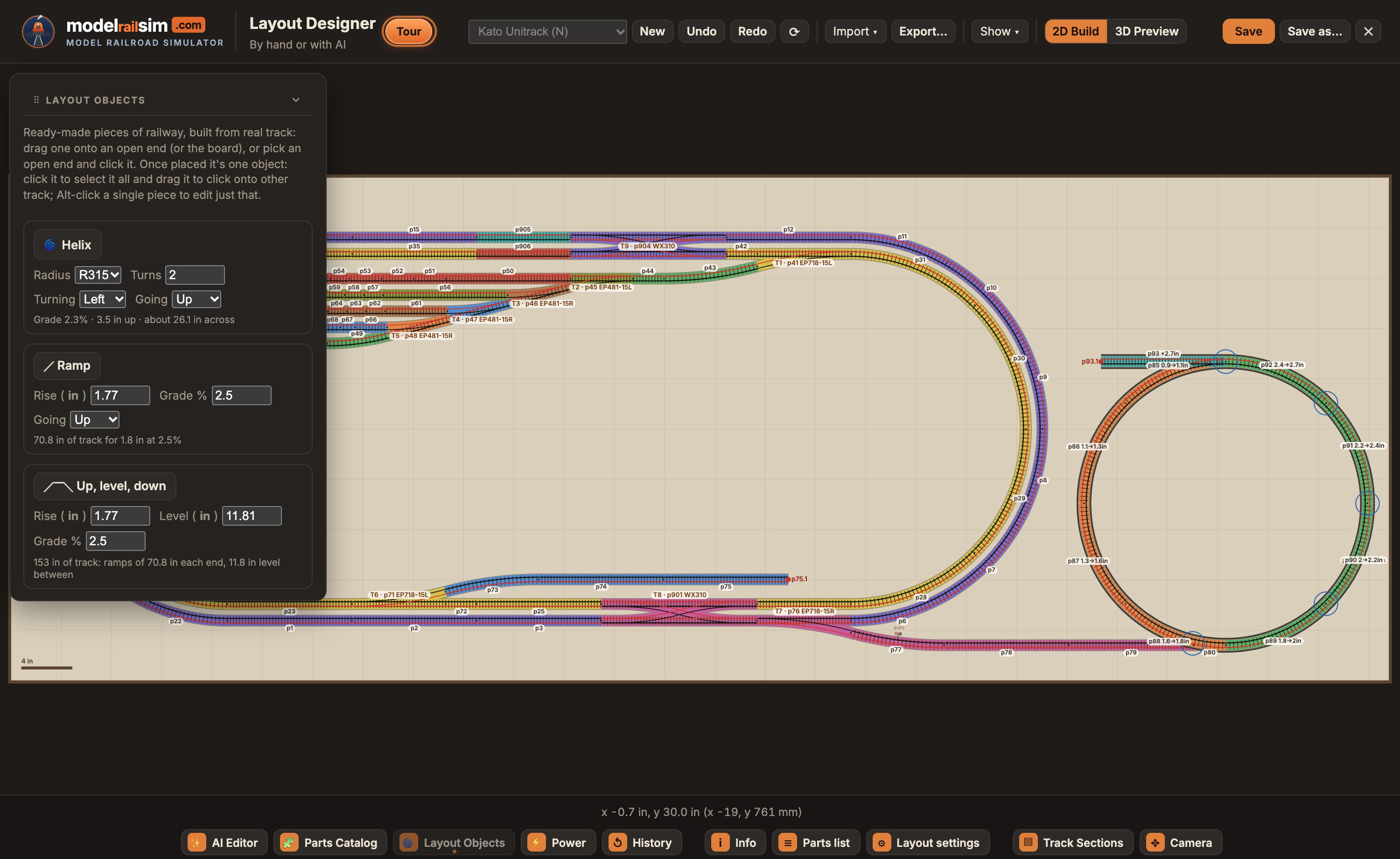
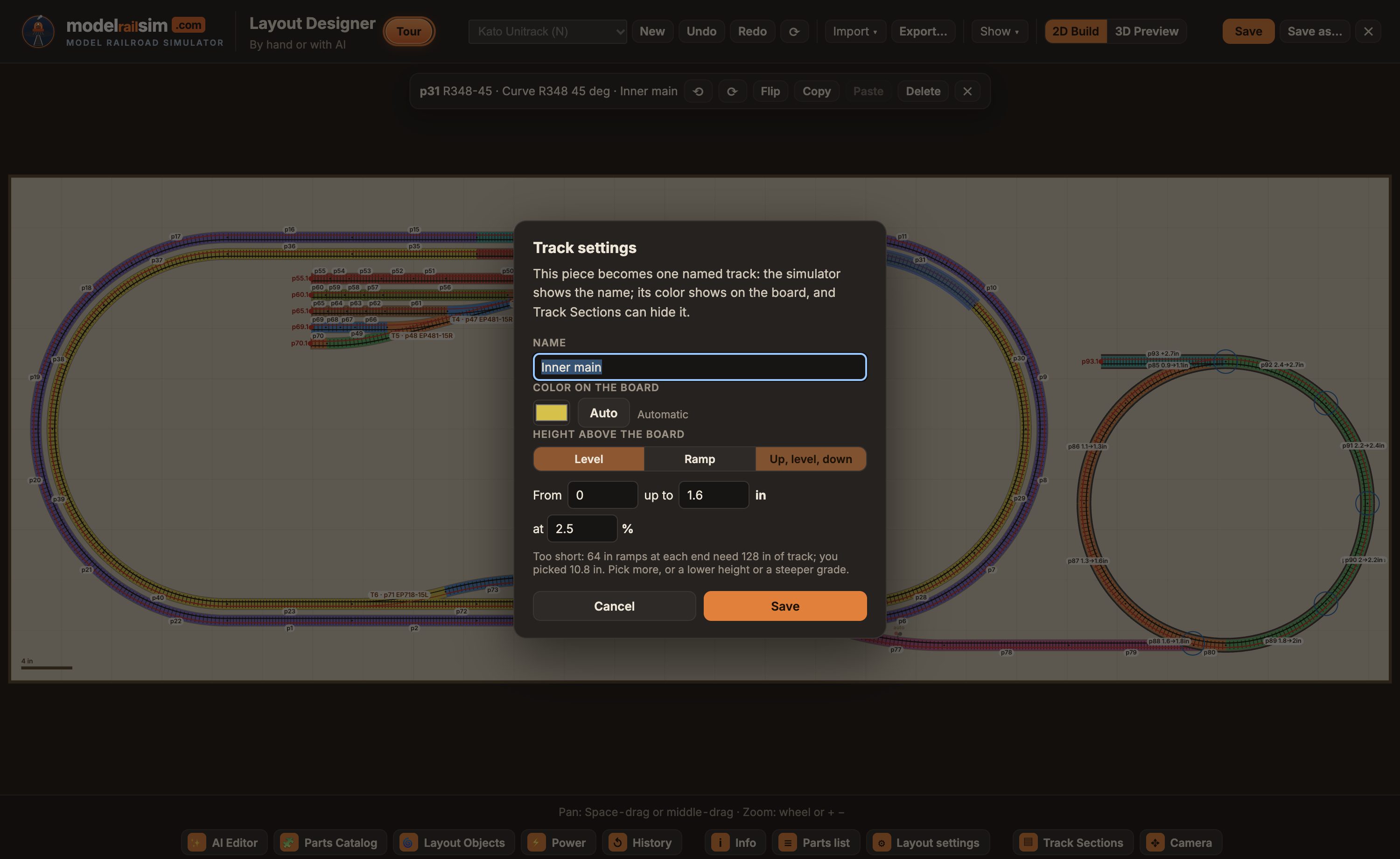
Give any run of track a height and the Designer works out the grade. Layout Objects drop in a helix, a ramp, or up, level and down over another track, built from real pieces with the clearance your trains need.
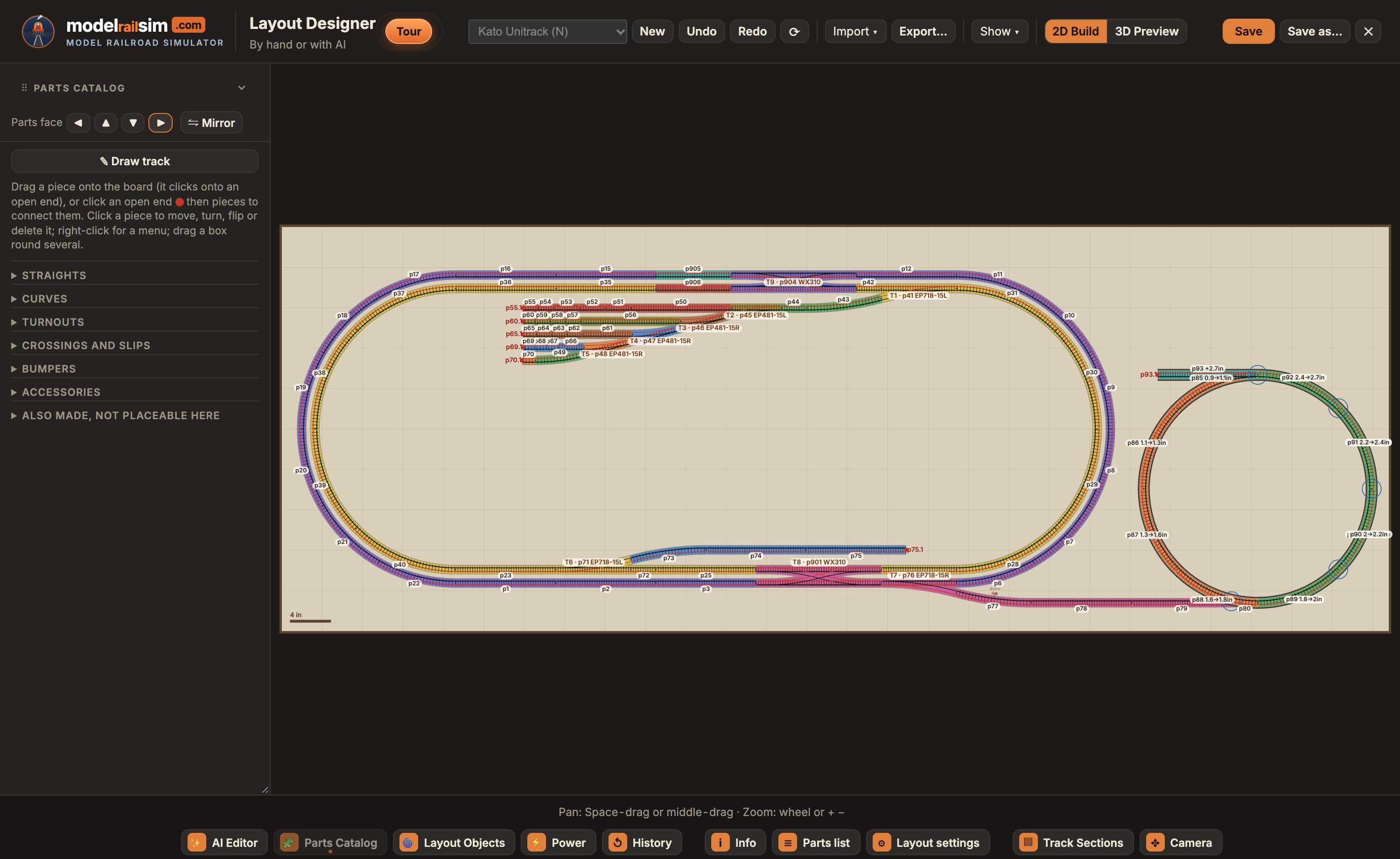
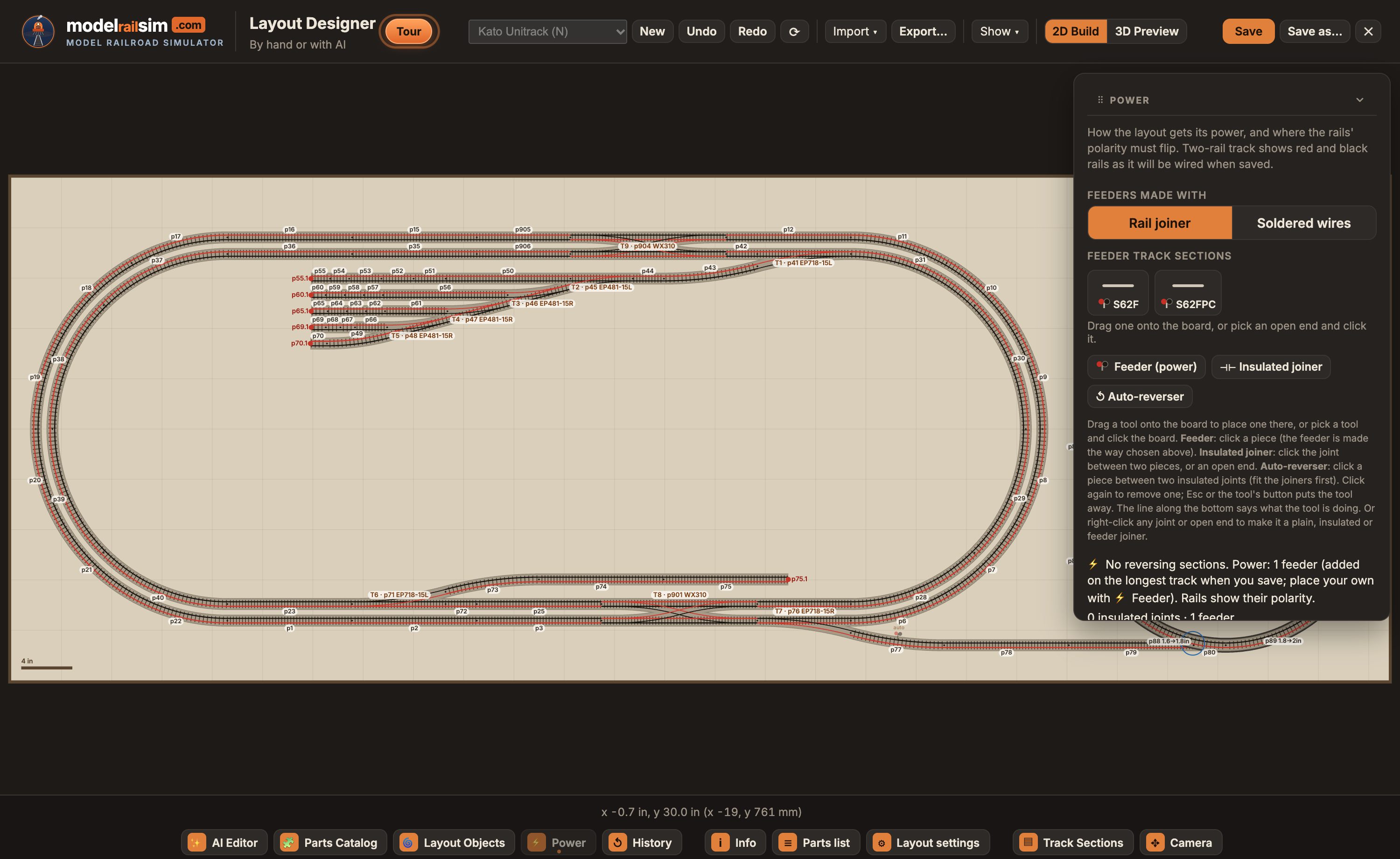
Two-rail track shows red and black rails as you lay it, so a reverse loop's short is plain to see before you buy a thing.
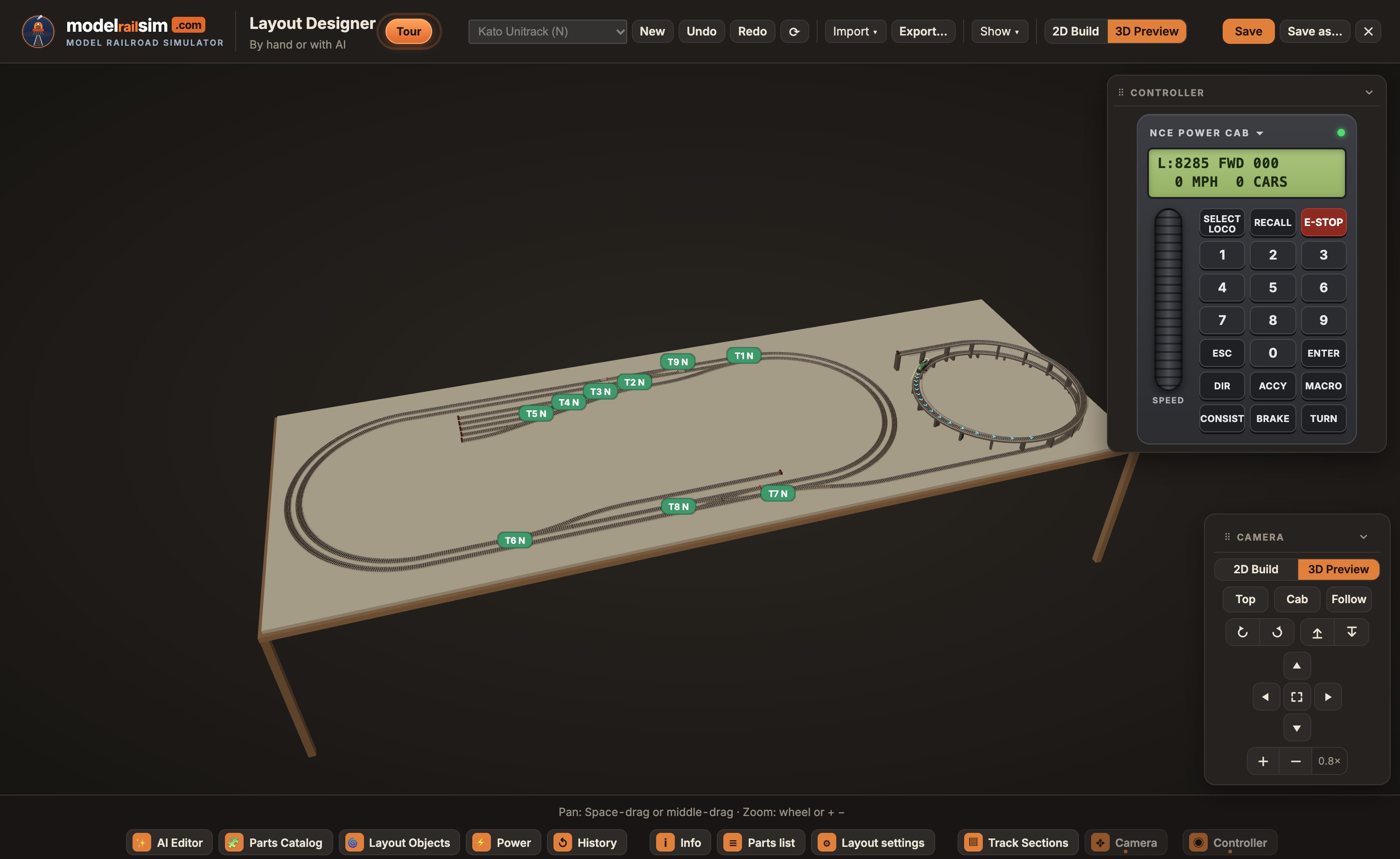
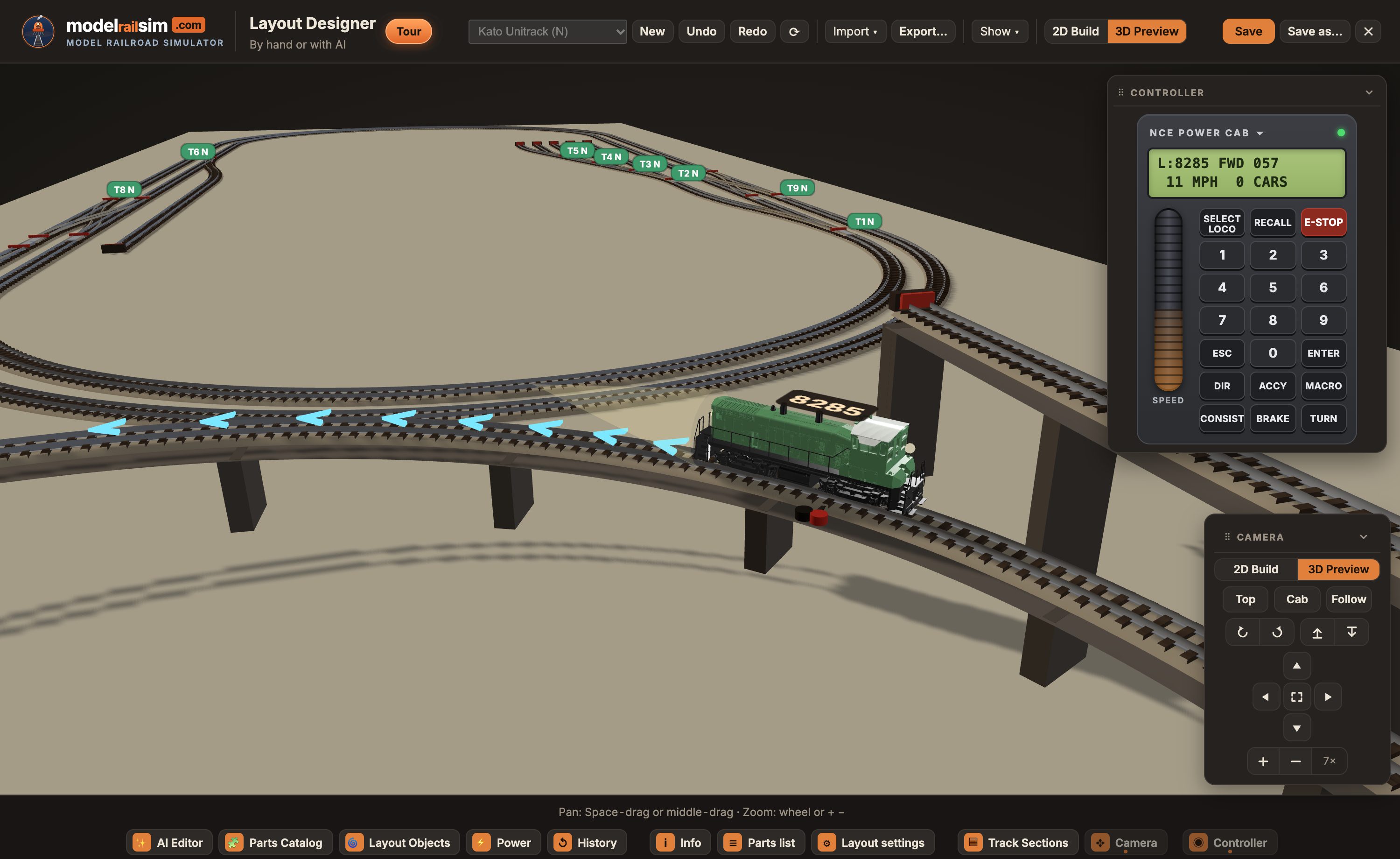
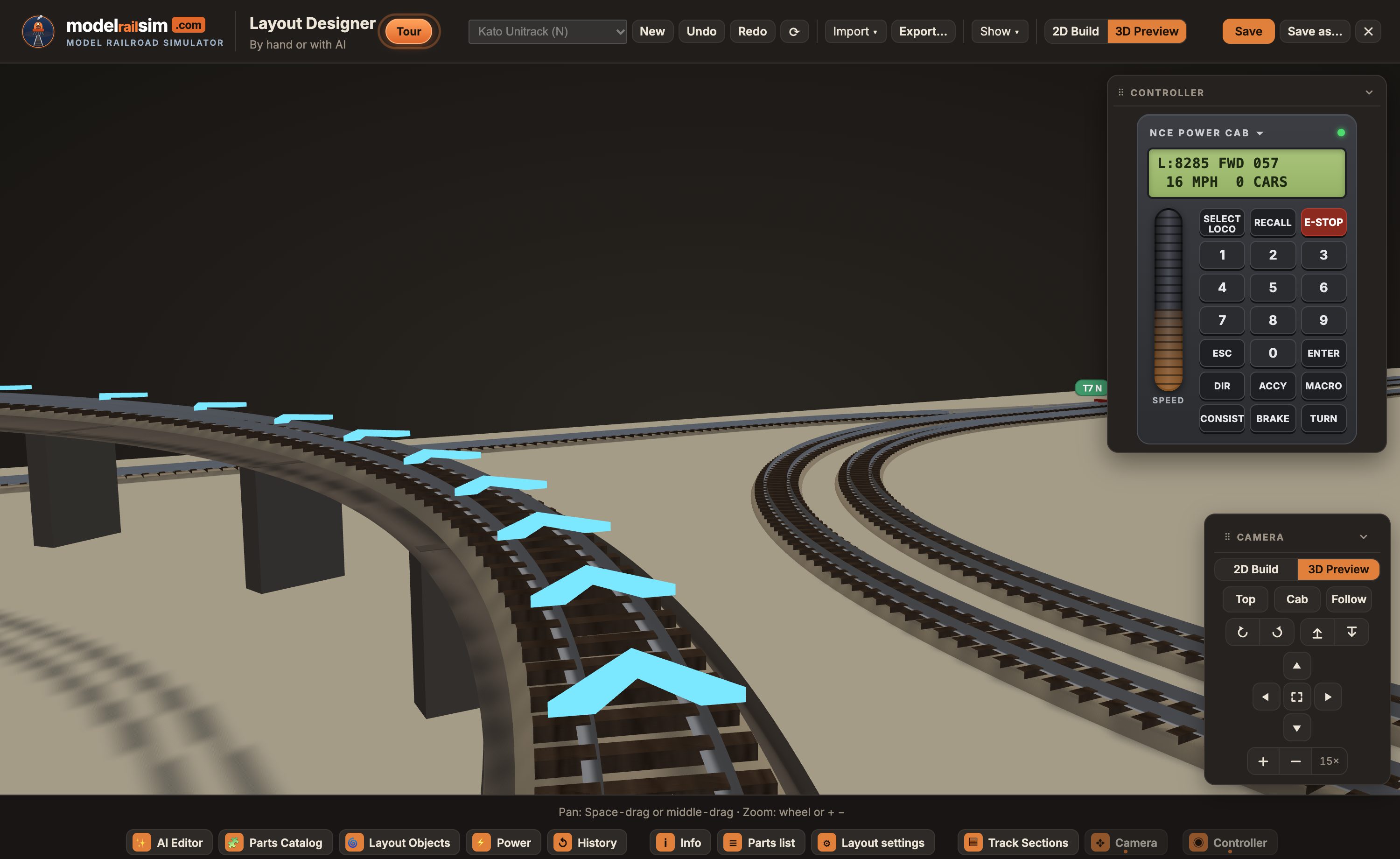
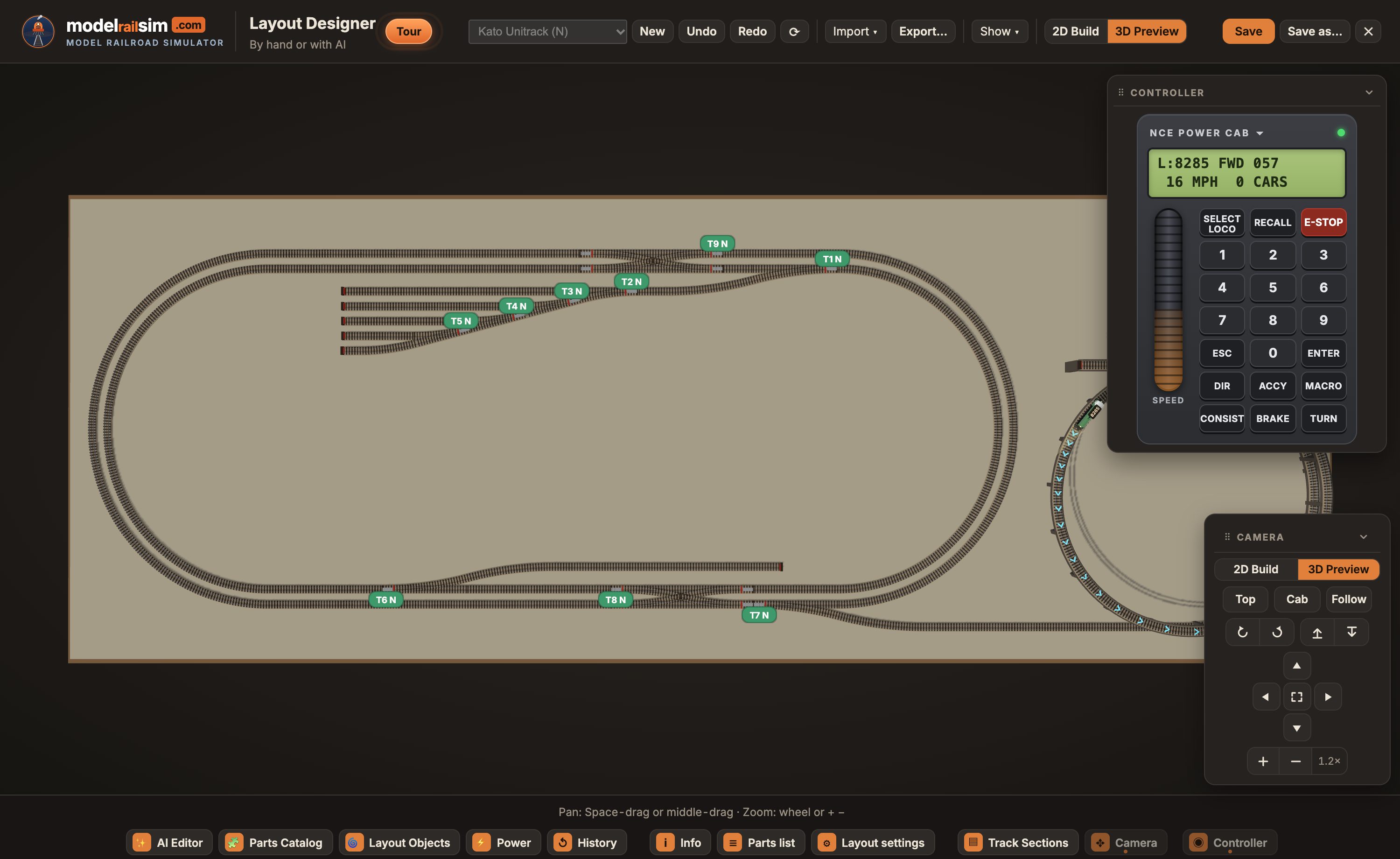
Switch from 2D Build to 3D Preview and the design is the layout on its table, with every level, helix and bridge as it'll be. The preview is the simulator itself: pick up the throttle and run a train round what you just drew.
Lay a plan from a book or magazine faded on the board, say how big it is, and draw your track over its lines.
Every piece by code and part number, with buffer stops, bridge sections, joiners, reversers and feeders. Copy it straight into an order.
Gaps, clashes, track off the board, steep grades and missing clearance are listed as you go, each pointing at the piece.
Undo, Redo and a History of every change, yours and AI's, by name. Go back to any point.
Export a layout as a file to keep or send; Import opens one. Your designs follow your account to any device.
Sizes, heights and grades in millimeters or inches. The makers' own codes, like Kato's R315, keep their sizes.
Geometry from the makers' catalogs, checked against XTrkCAD's parameter files. A piece whose numbers couldn't be confirmed says so in the catalog. Missing one you use? Tell us on the Ideas board.
Märklin mini-club · Rokuhan
Kato Unitrack · Tomix Fine Track · Atlas Code 80 and Code 55 · Bachmann E-Z Track · Fleischmann Piccolo, with and without ballast bed · Minitrix · Peco Setrack · Arnold
Märklin C, K and M · Trix C · Kato Unitrack HO · Atlas Code 83 and 100 · Atlas True-Track · Bachmann E-Z Track · Piko A · Roco Line · Roco geoLINE · Fleischmann Profi · Lionel HO
Hornby Sectional Track · Peco Setrack OO
Lionel FasTrack · Atlas O · MTH RealTrax
LGB · Piko G · Bachmann Large Scale
Any layout you could build on the bench from sectional track: 32 track systems from 18 makers, in Z, N, HO/OO, O and G scale, with their real geometry and part numbers. Straights, curves, turnouts, curved turnouts, wyes, three-ways, crossings, slips, crossovers, bridges and accessories. See the Layout Designer.
No. Building by hand is just as complete: drag pieces from the Parts Catalog, draw a line and let real pieces be laid along it, or draw over a picture of a plan. AI is there when you want it, and you can mix the two.
Yes, and you don't have to work out the pieces or the math. The Layout Objects card has three ready-made objects, each built from your system's real pieces: a helix (choose the radius and the turns, and it climbs with the clearance your trains need), a ramp from one height to another at the grade you set, and up, level, down over a bridge and back. Each shows its length, rise and grade as you change it. Drag it onto an open end and it's laid in one go, and afterwards it moves as one object. To shape any run of track yourself, right-click it › Track settings.
Yes. Give any run of track a height, a ramp, or up, level and down at the grade you choose, or drop in a ready-made helix. Grades over 2.5% get a note and over 3% a warning, and track crossing track needs the scale's clearance. The 3D Preview shows it as it'll be.
Yes. Two-rail track shows its polarity as red and black rails. Place feeders, insulated joiners and auto-reversers yourself, or let the Designer work them out: a reverse loop gets its joiners and reverser, every section a feeder.
Straight away. Save, and the design opens in the simulator wired and ready to drive. The 3D Preview runs it right inside the Designer while you build.
Export saves a layout as a file to send to someone, and Import opens one. The Parts list card is a shopping list of every piece by part number, ready to copy.
Describe a layout (“a 1600 × 800 oval with a passing siding and two spurs”) or show it a picture of a plan, and it lays real pieces with the same tools you have, checks gaps, grades and wiring, and tells you what it did. It keeps what you built by hand, and every change it makes can be undone.
Yes. Each account has a daily allowance: up to 150 AI requests a day, and a budget that bigger jobs use more of (higher effort in the AI Editor, long conversations, pictures). The bar under the AI Editor shows what's left. There's a daily cap for the whole site too. Building by hand, driving and the puzzles never count against it. The allowance resets at midnight UTC.
Create a free account, open the Layout Designer, and lay the first piece.