Every built-in layout, ready
The Inglenook, the Industry Spur, the Timesaver, Tipple Creek and the Märklin layout come with their industries, staging and yards set up.
Every session, cars get waybills to real industries: coal to the power plant, empties back to the mine, boxcars to the warehouse door. You get the switch list, the fast clock and the dispatcher, and the score at the end tells you how well you worked it. Then bring your club in, each member on their own screen.
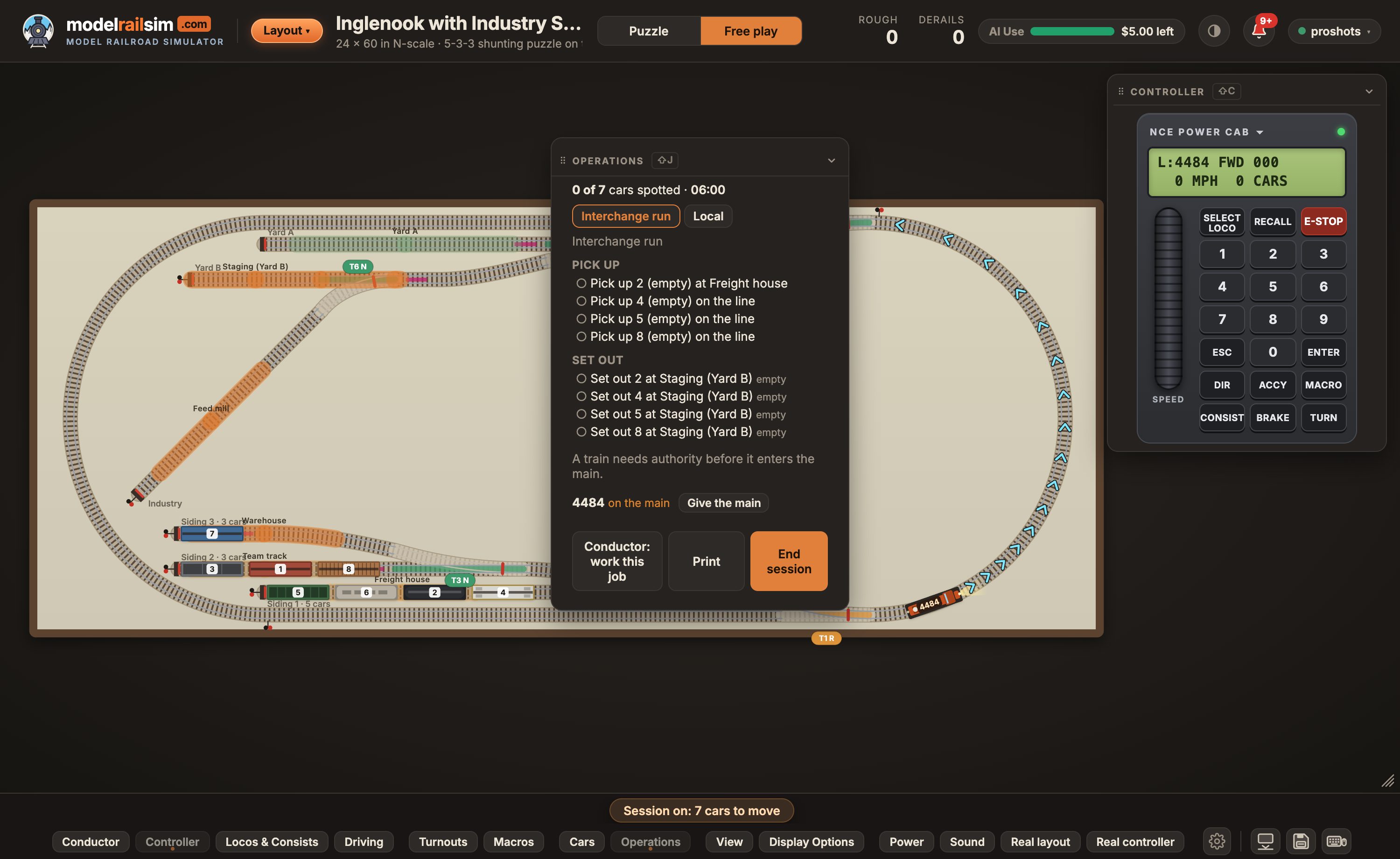
Press Start session and the work is made up from the layout's industries and the cars on hand: each car gets a waybill, and each job gets a switch list in the order you'll work it.
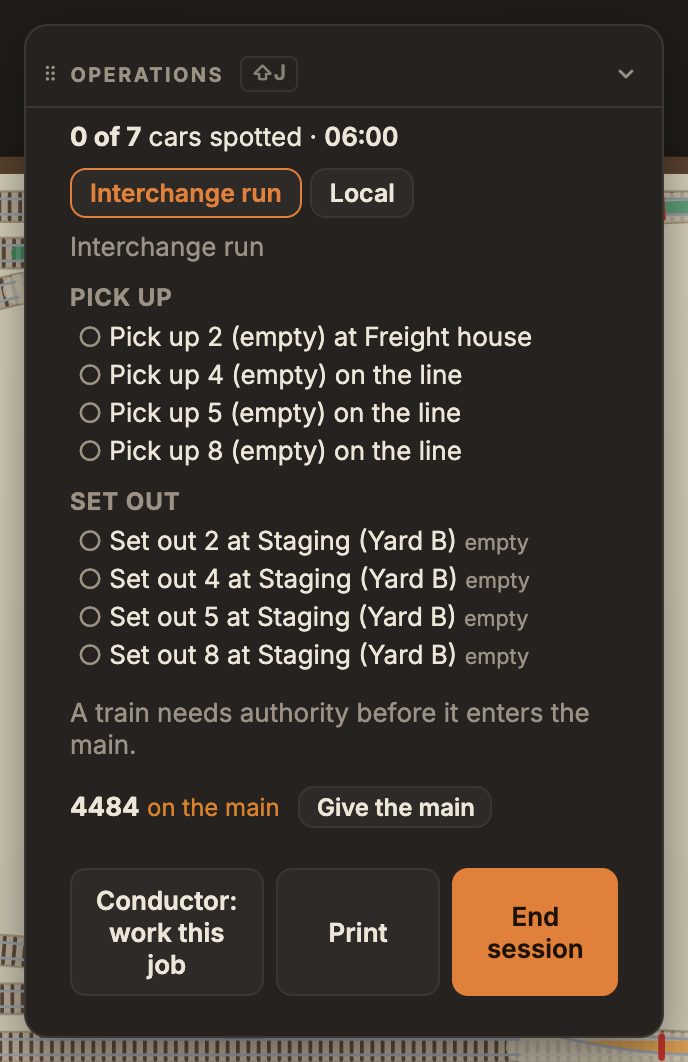
Mark the main on your layout and a train needs authority before it goes out on it. Give the main, take it back, and every move onto it without authority counts against the session.
Hoppers ride heaped with coal and ore, flatcars carry lumber and containers, and the pile beside each industry grows while its cars wait to be worked. Hover over a car for its waybill.
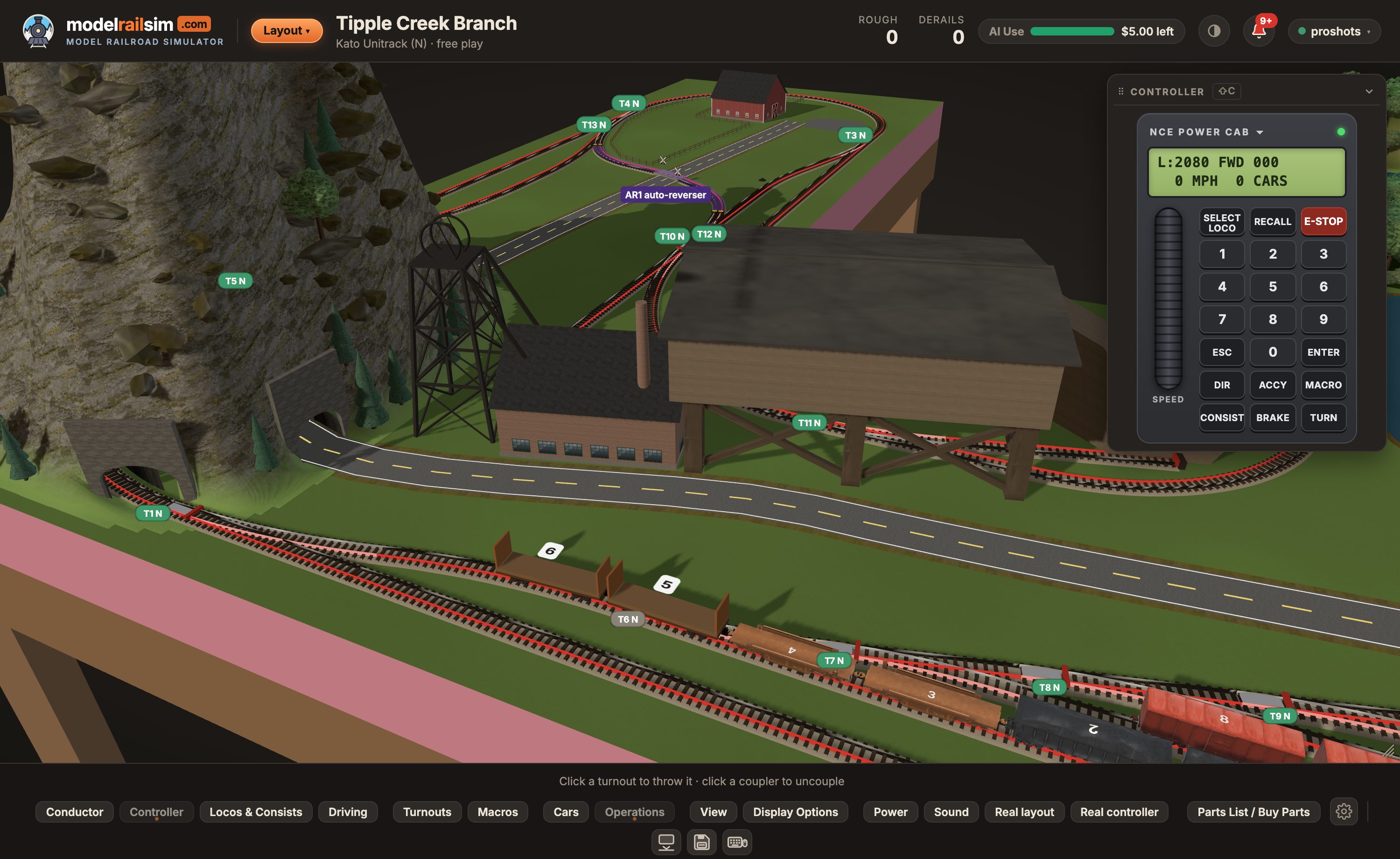
Host a club session and share the code or link. Members join from their own computers, tablets or phones, and see the same layout, cars, fast clock and switch lists, live.
Only the host of a club session needs a plan; members join free.
The Inglenook, the Industry Spur, the Timesaver, Tipple Creek and the Märklin layout come with their industries, staging and yards set up.
In the Layout Designer, open Operations and click the track to add industries, staging, interchange and yard tracks, or make the buildings beside the track industries in one go. Free for everyone.
"Design a switching layout with a coal mine, a team track and an interchange" lays the track and sets it up for operations. Uses AI Credit.
The simulator drives your layout over USB from an NCE system (Digitrax coming soon): the on-screen cab, the keyboard and the Conductor run your trains and throw your turnouts. How it works.
Your DCC handset drives the simulator, through a small dongle that listens to the track. How it works.
Export your places and cars to JMRI Operations, or import a JMRI car roster, so the cars on your real layout run here too.
Yes. On the Operations card (Shift + J), A first session, step by step walks you through three cars, free for everyone.
No. Only the host does: Pro for up to 3 guests, Pro Club for up to 20. Members join free with the code or the link, with a free account.
Yes, any time from your Account page. You pay the difference for the rest of the year straight away, and the new plan starts at once.
No. AI Credit works the same on Free and Pro: $5 to start, then packs when you want more. Pro doesn't need it; the Conductor working a job does.
Any time from your Account page (Pro › Manage or cancel). Pro lasts to the end of the year you paid for and isn't charged again.
From $29 a year. Cancel any time. Compare plans.